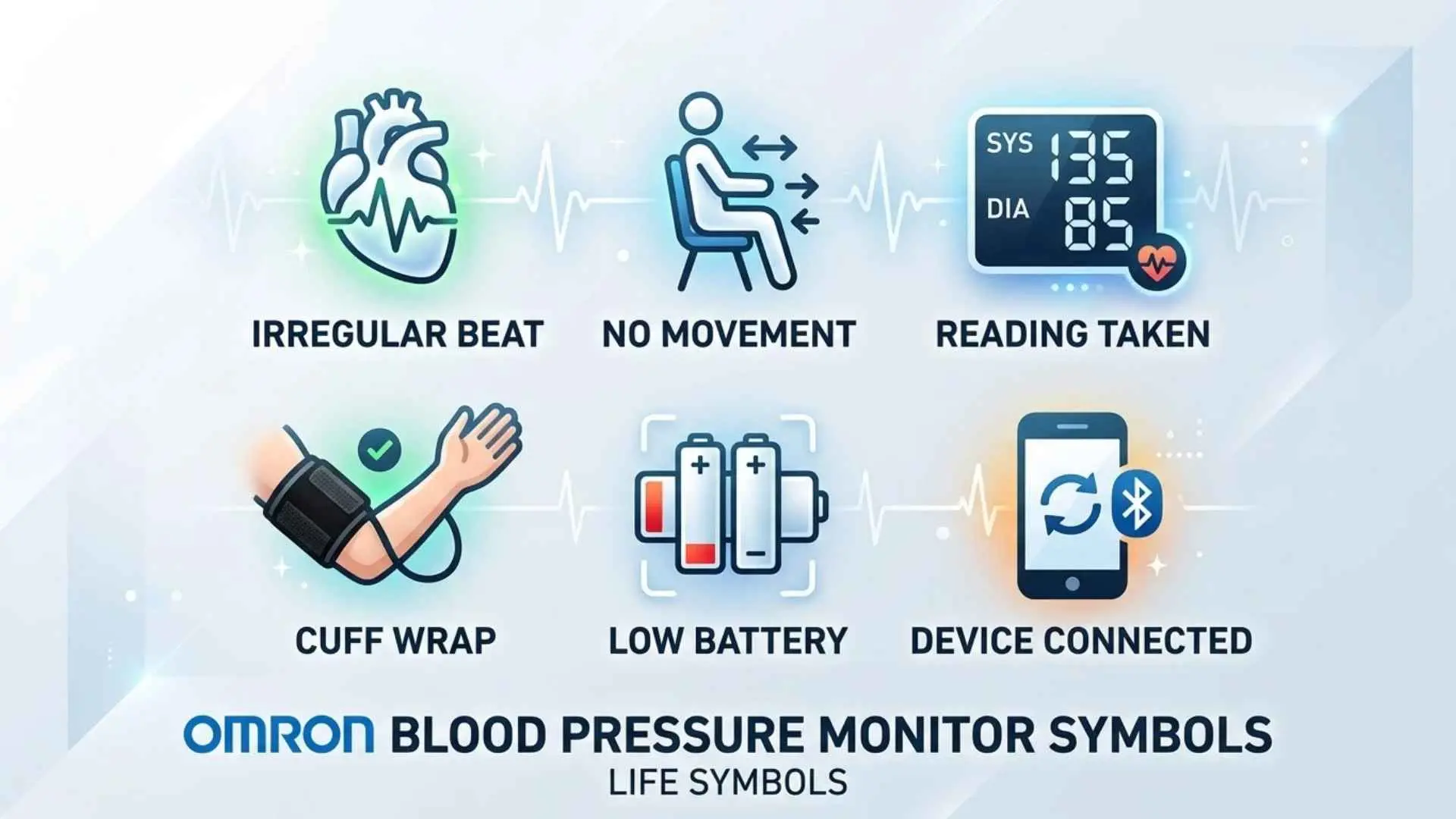
Understanding Omron blood pressure monitor symbols helps you recognize normal measurement indicators, spot potential errors, and understand your results. If your monitor displays a flashing heart, a movement warning, a battery icon, or an unfamiliar error code, knowing what it means can save you time and help you take a more reliable reading.
Omron makes several types of digital blood pressure monitors, and their displays don’t all look the same. Some models include additional features, such as hypertension indicators, wireless connectivity, or advanced averaging. The Omron 3 Series BP7100, for example, has specific display indicators and troubleshooting instructions that you should check against its official manual.
This guide explains the common Omron blood pressure monitor display symbols, including the irregular heartbeat indicator, movement error symbol, battery warnings, blood pressure numbers, and pulse display. You’ll also learn how to troubleshoot common problems, improve measurement accuracy, and understand when a reading needs medical attention.
Quick Guide to Omron Blood Pressure Monitor Symbols
If you need a quick answer, start with this reference table. It covers common symbols and display elements, with model-specific details explained in the sections below.
| Symbol or display | What it means | What you should do |
| Irregular heartbeat symbol | The monitor detected an irregular heartbeat pattern during measurement | Rest for 2–3 minutes and repeat the measurement as directed by the manual |
| Movement error symbol | Movement may have affected the measurement | Sit still, support your arm, and repeat the reading |
| Low battery symbol | The batteries are running low | Replace the batteries soon |
| Depleted battery symbol | The batteries have run out or are too weak to operate the monitor properly | Install fresh batteries |
| Systolic reading | The pressure in your arteries when your heart contracts | Read it together with your diastolic pressure |
| Diastolic reading | The pressure in your arteries between heartbeats | Interpret it alongside your systolic pressure |
| Pulse reading | Your pulse rate in beats per minute | Consider the result alongside your usual pulse and symptoms |
| Flashing heartbeat indicator | The monitor is detecting pulse beats during measurement | Remain still until the measurement finishes |
| Memory indicator | The monitor is displaying a stored measurement or memory information | Check the reading and its position in your stored history |
| Error code E1 on the BP7100 | A disconnected air plug, loose cuff, or air leak may be present | Check the air connection and cuff fit, then repeat the measurement |
Important: Symbol designs and error codes vary across Omron models. The official Omron 3 Series BP710 manual provides the model-specific explanations for its indicators and troubleshooting steps.
What Do the Symbols on an Omron Blood Pressure Monitor Mean?
The easiest way to understand your monitor is to separate its display into three groups: measurement indicators, warning symbols, and numerical results. Each group serves a different purpose.
Measurement indicators show what the monitor is doing. Warning symbols alert you to conditions that may affect the result or the device’s operation. Numerical displays show your blood pressure and pulse.
Irregular Heartbeat Symbol
The irregular heartbeat symbol indicates that the monitor detected an irregular pattern in the pulse during a blood pressure measurement.
Your heart normally beats in a fairly regular rhythm, although the timing can change for several reasons. An irregular pattern may appear because of a genuine rhythm disturbance or other factors affecting the measurement.
On the Omron BP7100, the manual instructs users to remove the cuff, wait two to three minutes, and repeat the measurement. If the indicator continues to appear, contact your healthcare professional.
OMRON Healthcare, Inc.
Here’s what to do when this symbol appears:
- Sit quietly and relax before repeating the measurement.
- Keep your arm supported at heart level.
- Avoid talking or moving while the cuff inflates.
- Record the result and note whether the indicator appears again.
- Discuss repeated irregular heartbeat alerts with a healthcare professional.
Remember: An irregular heartbeat indicator does not confirm atrial fibrillation or another specific heart condition. It is a screening-related measurement alert, not a medical diagnosis. Some Omron devices offer different rhythm-related features, so don’t assume that every model can detect atrial fibrillation.
Movement Error Symbol
The movement error symbol appears when the monitor detects body movement during measurement that may affect the result.
Even a small movement can interfere with an oscillometric blood pressure measurement. Talking, shifting your arm, tightening your muscles, or adjusting the cuff can disrupt the monitor’s pulse measurements.
To address this warning, follow these steps:
- Sit in a chair with your back supported.
- Place both feet flat on the floor.
- Rest your arm on a table so the cuff sits near heart level.
- Keep your hand and arm relaxed.
- Avoid talking, laughing, or moving until the monitor finishes.
Repeat the measurement according to your monitor’s instructions. If the movement symbol appears repeatedly despite correct technique, check the cuff and consult the manual.
Low Battery Symbol
The low battery symbol warns that the batteries are running low. Your monitor may continue to work for a while, but weak batteries can eventually prevent normal operation.
Some Omron monitors distinguish between a low battery and a depleted battery. A depleted battery indicator means you should replace the batteries promptly.
For the Omron BP7100, use four compatible AA batteries and follow the polarity markings inside the battery compartment.
When replacing batteries:
- Turn off the monitor.
- Open the battery compartment.
- Remove the old batteries.
- Insert four fresh batteries in the correct orientation.
- Close the compartment securely.
- Turn on the monitor and check the display.
Use the battery type recommended in your model’s manual. Don’t mix old and new batteries or different battery types.
Memory Symbol
The memory symbol relates to stored blood pressure readings. It may appear when you access measurements saved in the device.
Stored readings can help you follow changes in your blood pressure over time. However, the symbol itself doesn’t tell you whether your blood pressure is normal or high.
When reviewing stored measurements, check the actual systolic, diastolic, and pulse values. If your monitor displays a memory number, treat it as an identifier for the stored reading rather than a blood pressure category.
The BP7100 has a memory function, but you should consult its manual for the exact storage and retrieval instructions. Don’t assume that every Omron model stores the same number of readings or offers the same memory controls.
Flashing Heartbeat Symbol During Measurement
A flashing heartbeat symbol may appear while the monitor measures your blood pressure. On the BP7100, the heartbeat indicator shows that the device is detecting pulse beats during the measurement process.
This is different from an irregular heartbeat alert. The normal flashing indicator reflects the monitor’s measurement activity, while the irregular heartbeat indicator signals that the device detected an irregular pulse pattern.
If the flashing indicator appears and the measurement completes normally, you generally don’t need to do anything. Keep your arm still until the results appear.
If the monitor repeatedly fails to finish measuring, check the cuff placement, air tube, battery condition, and troubleshooting instructions.
Deflation Symbol
The deflation indicator relates to air leaving the arm cuff during measurement. Automatic blood pressure monitors inflate the cuff and then regulate or release the pressure as they collect information needed to calculate the reading.
During this process, you may notice changes in the display or hear air escaping from the cuff. These are usually normal parts of operation.
Don’t remove the cuff or move your arm simply because the cuff begins to loosen. Wait until the monitor completes the measurement.
If the cuff releases air unexpectedly and no result appears, check the model’s troubleshooting section rather than assuming the monitor is defective.
Systolic and Diastolic Blood Pressure Numbers
Your systolic blood pressure is the upper number in a blood pressure reading. It measures the pressure in your arteries when your heart contracts.
Your diastolic blood pressure is the lower number. It measures arterial pressure while your heart relaxes between beats.
For example, a reading of 120/80 mmHg means:
- Systolic pressure: 120 mmHg.
- Diastolic pressure: 80 mmHg.
The abbreviation mmHg means millimeters of mercury, a standard unit used to measure pressure.
Neither number should be interpreted alone. A reading of 135/75 mmHg, for example, has a systolic value in the Stage 1 hypertension range under U.S. adult classification guidelines, even though the diastolic value is below 80.
Pulse Rate Display
The pulse rate display shows how many times your heart beats per minute. A monitor may display this number alongside your blood pressure results.
Blood pressure and pulse measure different things. Blood pressure measures the force of blood against artery walls, while pulse rate measures the frequency of your heartbeats.
Your pulse may change with exercise, stress, illness, caffeine, and certain medications. One reading doesn’t necessarily describe your usual heart rate.
If your monitor repeatedly displays an unusual pulse or irregular heartbeat indicator, record the results and discuss them with your healthcare professional. Seek urgent medical attention if you also experience severe symptoms such as chest pain, fainting, or difficulty breathing.
Memory Number or Reading Sequence
Some monitors display a number when you review stored measurements. This number may identify the position of a reading in the device’s memory.
For example, a memory number doesn’t mean your blood pressure is at a particular stage of hypertension. It simply helps distinguish one stored result from another.
To make your readings useful, record the date, time, systolic pressure, diastolic pressure, pulse, and any warning indicators. A written log can help you and your clinician identify patterns that a single reading cannot show.
Omron BP7100 Display Symbols Explained
The Omron 3 Series BP7100 is an automatic upper arm blood pressure monitor designed for home blood pressure measurement. Its display combines blood pressure values, pulse information, and indicators that help users recognize certain measurement problems.
Because Omron sells several generations and variations of its monitors, always confirm the model number on the device before following model-specific instructions.
Complete Omron BP7100 Symbol List
The following table summarizes the principal display elements documented for the BP7100.
| Display element | Purpose | Recommended action |
| Heartbeat or irregular heartbeat indicator | Alerts you to a detected irregular heartbeat pattern | Repeat the measurement after resting; contact your clinician if it persists |
| Movement indicator | Signals movement during measurement | Repeat the reading while remaining still |
| Low battery indicator | Warns that battery power is running low | Replace the batteries soon |
| Depleted battery indicator | Indicates that the batteries need replacement | Install fresh compatible batteries |
| Systolic number | Displays upper blood pressure | Record the value in mmHg |
| Diastolic number | Displays lower blood pressure | Record the value in mmHg |
| Pulse number | Displays heartbeats per minute | Record the value alongside blood pressure |
| Memory information | Helps access or identify stored readings | Follow the monitor’s memory instructions |
These are the key indicators and reading elements to recognize. Not every item is an error symbol, and the display may vary slightly depending on the device version. Refer to the official BP7100 instruction manual for the original display diagram and complete instructions..
What Does the Irregular Heartbeat Symbol Mean on the BP7100?
The BP7100’s irregular heartbeat indicator alerts you when the monitor detects an irregular pulse pattern during measurement. It doesn’t identify the exact cause of the irregularity.
Follow the manual’s instructions: remove the cuff, wait two to three minutes, and repeat the measurement. If the indicator continues to appear, contact your healthcare professional.
Repeated alerts deserve attention, especially if you also notice palpitations, dizziness, or unusual weakness. Don’t use the symbol alone to diagnose a heart rhythm disorder or change prescribed medication.
What Does the Movement Error Symbol Mean on the BP7100?
The movement indicator warns that movement during measurement may have affected the result.
Before trying again, check your posture and cuff placement. Your back should rest against the chair, your feet should remain flat on the floor, and your arm should be supported at heart level.
Take another reading after settling into position. If the symbol keeps appearing, inspect the cuff and air tube for obvious problems and consult the manual.
What Batteries Does the Omron BP7100 Use?
The BP7100 uses four AA batteries. Follow the manufacturer’s instructions for battery type, polarity, installation, and replacement.
A low battery warning means you should prepare to replace the batteries. A depleted battery warning calls for replacement before you continue using the monitor.
If the screen remains blank after installing fresh batteries, check that each battery sits in the correct direction and that the compartment closes properly. If the problem continues, consult Omron support rather than opening the device.
Where Can You Find the Official Omron BP7100 Manual PDF?
Use the manufacturer’s documentation instead of relying on instructions written for a different monitor.
- Download the Omron BP7100 instruction manual PDF.
- Visit Omron Healthcare Support for manuals, frequently asked questions, and product assistance.
The manual is particularly useful when you need to verify a symbol, identify an error code, replace an accessory, or troubleshoot a measurement problem.
Omron Blood Pressure Monitor Error Codes and Warning Indicators
A warning symbol and an error code aren’t always the same thing. A symbol may alert you to movement or a battery problem, while an error code identifies a condition that interferes with the monitor’s operation.
The correct response depends on the model and the message shown on the screen.
What Does E1 Mean on an Omron BP7100?
On the Omron BP7100, E1 indicates an air connection or cuff problem. The official manual lists three possible causes:
- The air plug is disconnected.
- The arm cuff is too loose.
- Air is leaking from the arm cuff.
OMRON Healthcare, Inc.
Try these steps in order:
- Turn off the monitor.
- Check that the air plug fits securely into the air jack.
- Reapply the cuff according to the instructions.
- Inspect the air tube for kinks, compression, or visible damage.
- Repeat the measurement.
If the cuff leaks air, replace it with a compatible cuff as directed by Omron. If E1 continues to appear despite a secure connection and correct cuff placement, contact manufacturer support.
Important: Don’t assume E1 means the same thing on every Omron device. Check the error table for your exact model before troubleshooting.
What If the Monitor Displays an Error During Measurement?
Start with the simplest checks. Many measurement problems involve cuff placement, movement, weak batteries, or an unsecured air connection.
| Problem | What to check first |
| Cuff won’t inflate properly | Check the air plug, cuff connection, and air tube |
| E1 on the BP7100 | Check for a loose cuff, disconnected plug, or air leak |
| Movement warning | Remain still and repeat the measurement |
| Low battery indicator | Replace the batteries |
| No reading appears | Follow the model’s troubleshooting steps and check the power supply |
| Error keeps returning | Consult the manual or contact Omron support |
If the problem persists, stop repeated attempts and check the manufacturer’s guidance. Don’t dismantle the monitor or attempt internal electrical repairs.
What If the Display Is Blank or Missing Numbers?
A blank or incomplete LCD digital display can make it impossible to read your results. Before assuming that the monitor has failed, check the power supply.
- Confirm that the batteries are installed correctly.
- Replace weak or depleted batteries.
- Make sure the battery compartment closes properly.
- Turn the monitor on again.
- Check the manual if numbers remain missing or the screen behaves abnormally.
If fresh batteries don’t solve the problem, the device may need professional assessment or replacement. Don’t rely on an incomplete display to make decisions about your blood pressure.
What If the Irregular Heartbeat Indicator Keeps Appearing?
Repeated irregular heartbeat alerts warrant attention, but they don’t automatically mean you have a serious heart condition.
First, repeat the measurement after resting for two to three minutes, as instructed for the BP7100. Ensure that the cuff fits correctly and that you remain still throughout the measurement.
Keep a record of repeated alerts and share it with your healthcare professional. If you experience chest pain, severe shortness of breath, fainting, or other potentially serious symptoms, seek emergency medical care rather than waiting for another reading.
How to Read Blood Pressure Numbers on an Omron Monitor
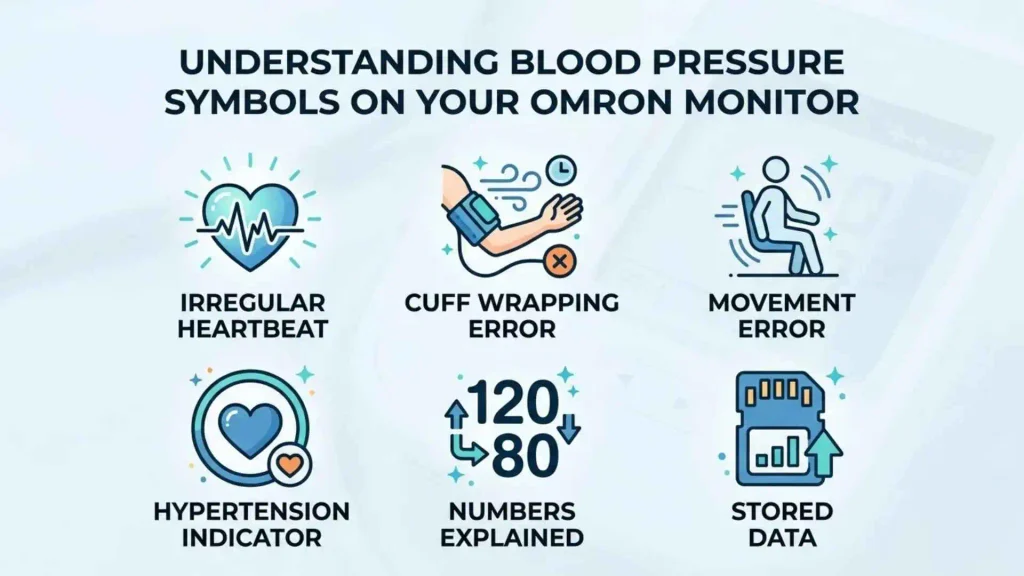
The symbols tell you about the measurement process, but the numbers provide the actual blood pressure result. Understanding those numbers is essential when using an Omron home blood pressure monitor.
What Do Systolic and Diastolic Blood Pressure Mean?
Blood pressure is written as two numbers, such as 118/76 mmHg.
The first number is systolic pressure. It reflects the pressure in your arteries when your heart pumps blood.
The second number is diastolic pressure. It reflects arterial pressure while your heart relaxes between beats.
Both values matter. A systolic result can fall into a high blood pressure category even when the diastolic value is within a lower category.
What Do Normal and High Blood Pressure Readings Mean?
For adults in the United States, the American Heart Association uses the following categories for blood pressure classification.
American Heart Association
| Category | Systolic pressure | Diastolic pressure |
| Normal | Below 120 mmHg | Below 80 mmHg |
| Elevated | 120–129 mmHg | Below 80 mmHg |
| Stage 1 hypertension | 130–139 mmHg | 80–89 mmHg |
| Stage 2 hypertension | 140 mmHg or higher | 90 mmHg or higher |
| Severe hypertension range | Higher than 180 mmHg | And/or higher than 120 mmHg |
The categories use the higher category when systolic and diastolic values fall into different ranges. For example, 132/76 mmHg falls into the Stage 1 hypertension category because of the systolic value.
These categories help explain readings, but one measurement doesn’t establish a diagnosis. Your clinician may consider repeated measurements, medical history, medications, and other health factors before making a diagnosis.
What Does a Pulse Reading Mean?
The pulse number shows your heart rate in beats per minute (BPM). It is separate from the systolic and diastolic measurements.
Your pulse may increase after exercise, during stress, or when you’re ill. Certain medications can also change it.
For a meaningful comparison, measure under similar conditions and record your pulse alongside your blood pressure. If you repeatedly notice an unusually fast, slow, or irregular pulse, discuss it with your healthcare professional, particularly if symptoms accompany it.
When Should You Be Concerned About a Reading?
Don’t rely on the absence of a warning symbol to decide whether your blood pressure is safe. A monitor can display a valid measurement that is still dangerously high.
If your reading is higher than 180 systolic and/or higher than 120 diastolic, wait at least one minute and measure again.
- If the repeat reading remains that high, contact a healthcare professional immediately.
- If you also experience chest pain, shortness of breath, weakness, numbness, vision changes, back pain, or difficulty speaking, call emergency services.
These steps follow the American Heart Association’s guidance on home blood pressure monitoring.
American Heart Association
A normal-looking screen doesn’t override severe symptoms. Seek medical care based on the reading and how you feel, not just the symbols.
How to Use an Omron Blood Pressure Monitor Correctly
Correct technique helps you obtain more consistent blood pressure readings and reduces avoidable movement errors. Even a well-functioning monitor can produce misleading results if you use the wrong cuff size or measure immediately after physical activity.
Prepare Before Taking a Measurement
Before using your Omron monitor, follow these preparation steps recommended by the American Heart Association:
- Avoid smoking, caffeine, and exercise for at least 30 minutes before measuring.
- Empty your bladder before sitting down.
- Rest quietly for at least five minutes.
- Sit in a chair with your back supported.
- Keep your feet flat on the floor and your legs uncrossed.
- Avoid talking, texting, or watching distracting content during the measurement.
These steps help reduce temporary influences on your blood pressure.
American Heart Association
Position the Arm Cuff Correctly
Your arm cuff must fit properly to produce a useful reading. A cuff that’s too small or too large can affect measurement accuracy.
For the BP7100:
- Place the cuff on your bare upper arm.
- Position it according to the markings and instructions in the manual.
- Keep the air tube arranged as directed by the manufacturer.
- Rest your arm on a flat surface at heart level.
- Make sure the cuff feels secure without being excessively tight.
Don’t place the cuff over clothing. If your arm circumference falls outside the cuff’s supported range, ask your healthcare professional or Omron about a suitable alternative.
Take and Record Your Reading
Once you’re seated correctly, press the START/STOP button and let the monitor complete its measurement.
Remain still until the systolic, diastolic, and pulse values appear. If a movement or irregular heartbeat indicator appears, follow the instructions for that specific warning.
For useful long-term records, write down:
- Date and time.
- Systolic blood pressure.
- Diastolic blood pressure.
- Pulse rate.
- Any warning symbols.
- Relevant symptoms or circumstances.
Taking readings at consistent times makes it easier to identify patterns. Follow your healthcare professional’s recommendations about how often to measure and how many readings to take.
How to Fix Common Omron Blood Pressure Monitor Problems
Sometimes the problem isn’t a symbol but a reading that looks unusual or a monitor that doesn’t operate as expected. Start with basic checks before assuming the device is faulty.
| Problem | Possible cause | Recommended solution |
| Reading seems unusually high | Incorrect cuff size, movement, stress, or recent caffeine | Rest and repeat the measurement using correct technique |
| Reading seems unusually low | Measurement conditions, cuff placement, or a genuine change in blood pressure | Repeat correctly and discuss persistent concerns with a clinician |
| Movement error keeps appearing | Arm movement, talking, or muscle tension | Support the arm and remain still |
| Cuff doesn’t inflate | Loose air plug, damaged tube, or cuff problem | Check connections and inspect the cuff |
| Battery icon appears | Weak or depleted batteries | Replace the batteries according to the manual |
| Display remains blank | Battery installation problem or device fault | Check the batteries and consult the troubleshooting guide |
| E1 appears on the BP7100 | Loose cuff, disconnected plug, or air leak | Check the air connection and cuff fit |
| Irregular heartbeat indicator recurs | Repeated detection of an irregular pulse pattern | Record the results and contact your healthcare professional |
How to Improve Measurement Accuracy
Use these habits to make your home blood pressure monitoring routine more reliable:
- Use a validated upper-arm monitor with a correctly sized cuff.
- Measure under similar conditions each day.
- Rest before measuring.
- Keep your back, feet, and arm properly supported.
- Avoid movement and conversation during measurement.
- Take repeated readings as recommended by your clinician.
- Bring your monitor to a medical appointment so your healthcare professional can check your technique and compare its results with clinical equipment.
A single reading provides only a snapshot of your blood pressure. A series of properly collected readings offers a more useful picture of changes over time.
American Heart Association
When to Contact Omron Support
Contact the manufacturer if your monitor repeatedly displays errors despite correct use, the cuff or air tube appears damaged, or the screen remains incomplete after you check the batteries.
You can visit Omron Healthcare Support to find product manuals, troubleshooting information, and other assistance. Have your model number available so you can find the correct instructions.
Frequently Asked Questions About Omron Blood Pressure Monitor Symbols
What do the symbols on an Omron blood pressure monitor mean?
Omron monitor symbols indicate measurement activity, possible movement errors, battery status, irregular heartbeat detection, and memory functions. The exact icons depend on your model. Check the user manual for the meaning of each symbol on your device.
What does the heart symbol mean on an Omron blood pressure monitor?
A flashing heartbeat indicator may show that the monitor is detecting your pulse during measurement. An irregular heartbeat indicator has a different meaning: the device detected an irregular pulse pattern. Check your model’s display guide to distinguish the two.
Is the irregular heartbeat symbol dangerous?
The symbol doesn’t automatically mean you have a dangerous heart condition. However, repeated alerts deserve medical attention. Repeat the measurement as instructed and contact your healthcare professional if the indicator continues to appear.
What does the movement symbol mean on an Omron monitor?
The movement symbol indicates that movement during measurement may have affected the result. Sit quietly, support your arm at heart level, and repeat the measurement without talking or moving.
What does the battery symbol mean on an Omron monitor?
A low battery symbol warns that the batteries are running low. A depleted battery symbol means you should replace them promptly. Follow your model’s manual for the correct battery type and installation procedure.
What does E1 mean on an Omron BP7100?
On the BP7100, E1 indicates a possible air connection or cuff problem. The air plug may be disconnected, the cuff may be too loose, or air may be leaking from the cuff. Check these issues before repeating the measurement.
OMRON Healthcare, Inc.
How do I reset an Omron blood pressure monitor?
Reset instructions vary by model. Start with the official manual rather than assuming that removing the batteries will reset the device or erase its stored readings. Follow the manufacturer’s instructions for any required reset procedure.
Where can I download the Omron BP7100 manual PDF?
You can download the manufacturer’s manual directly from this It includes the model’s display indicators, operating instructions, and troubleshooting information.
Can an Omron blood pressure monitor detect atrial fibrillation?
Some Omron models offer specific atrial fibrillation screening features, but ordinary irregular heartbeat detection isn’t the same as atrial fibrillation screening. The BP7100’s irregular heartbeat indicator doesn’t independently diagnose atrial fibrillation. Always check your exact model’s specifications.
Should I take another reading if a warning symbol appears?
It depends on the symbol. For a movement error, correct your posture and repeat the measurement. For an irregular heartbeat alert on the BP7100, wait two to three minutes and repeat as directed. For a low battery warning, replace the batteries when needed.
Final Thoughts on Omron Blood Pressure Monitor Symbols
Understanding Omron blood pressure monitor symbols makes home monitoring easier and helps you respond appropriately when a warning appears. The most important indicators to recognize are the irregular heartbeat symbol, movement error symbol, and low battery warning.
Just as importantly, learn to read your systolic pressure, diastolic pressure, and pulse rate. These values provide the information you need to track your blood pressure over time.
If you use the Omron BP7100, keep its official manual available and follow its model-specific instructions. Use proper measurement technique, record your results, and contact a healthcare professional when readings or recurring warning indicators raise concerns.
The key takeaway: A symbol can help explain what your monitor detected, but it can’t replace a medical diagnosis. Consistent measurements and appropriate medical advice are the best way to make your home blood pressure records useful.

I am John Carter, a lifelong enthusiast of language and modern slang. I explore how words evolve and shape culture, and I enjoy uncovering the stories behind everyday expressions. I have authored “Slang and Society: The Language of Youth” and “Modern Words, Modern Worlds”, where I dive into how informal language impacts communication and identity. My goal is to make language accessible, fun, and insightful for everyone who loves words as much as I do.
 Lisa Reynolds